 When a barcode verifier cannot scan a barcode, it can be a puzzling, frustrating situation. Without a verification report, how do you correct an unknown problem? You can access a previous article about this here.
What about when the verifier reads the barcode perfectly but the scanner doesn’t? Now you are really in the dark! How do you deconstruct this situation and figure out what’s going on? Here are some points that can help you navigate that path of discovery.
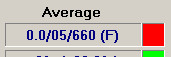
First of all, what grade is the verifier reporting for the barcode? If it’s an ANSI F, all bets are off about the scanability of that barcode. While an F grade does not “guarantee” that the barcode will fail to scan in all circumstances and all possible scanners, it certainly indicates the likelihood of scanning problems. Likewise a D grade. The ISO standards for barcode verification are a method of predicting likely scanner performance based on several key print parameters. Some scanners are more forgiving than others, some are less forgiving for some of those parameters. Scanner performance can degrade over time. Rough handling or challenging environments can influence scanner performance. Just like life, there are a lot of moving parts and nothing is really nailed down permanently.

It can be confusing when a verifier fails a barcode—obviously it successfully scanned the barcode to fail it. If the verifier can scan the barcode, why would a scanner be unable to scan it? For very technical reasons, the verifier is able to decode and calculate a grade even a very poor quality barcode that a scanner would likely be unable to decode. It is this ability that makes a verifier so expensive—and so important.

The ISO verification standards are a predictor of barcode performance in a system with myriad variables. At present, there is no better way of predicting whether or not a barcode will scan.
Consider an even worse situation, when a verifier grades a barcode a C or better, but the scanner cannot read it. What can cause that?
Consider this: barcode scanning is all about detecting the reflective differences between the barcode itself and the background. Think about how different scanner technologies detect the

reflective differences:
- A laser scanner draws a very thin, bright line across the barcode, and the reflective differences between the bars and spaces of the barcode are reflected back into the receptor in a very directional way.
- CCD array and digital camera-based scanner are different than laser scanners. They both flood the barcode with a blast of relatively diffuse light. The reflective differences between the bars and spaces in a barcode can be less discernable, especially of the scanner is held point-blank range and/or at 90 degrees to the barcode.
This can be problematic if the RMax (light reflectance) substrate is very glossy, and even worse if the RMin (dark reflectance) barcode is printed in a glossy black. The diffuse, non-directional light can make it difficult for the scanner receptors to discern the reflective differences in the barcode and its substrate. Positioning the scanner at a more oblique angle may help.
Finally, it is possible the scanning difficulty isn’t caused by the scanner optics or the reflectivity of the barcode. Scanner programming could be the culprit. When setting up a scanning system, limiting the number of digits that can be accepted in the barcode data field can cause a perfectly legitimate, A grade barcode to not scan.
Symbologies with optional check digits, such as ITF-14 and Code 39 can be an unexpected trap, as can EAN barcodes that should be compatible with a 12 digit UPC-friendly scanning system—but encode a 13th digit that the system may not be programmed to accept. If the verifier says the barcodes are good but the scanner cannot read them, check the scanner configuration for barcode data field size.