

911 for Bad Barcodes
Got a bar barcode? Here’s what to do.
First, take a deep breath. You are not in this alone. At ANY step in this process—including right now, you can call us. We can talk you through some simple steps to figure out what’s wrong. And what to do about it. My direct line is 630-235-6077
Verifier or Not
ASIDE: It would help you and us if you had a verifier, but if you don’t, we can still help. You should think about getting one. From us would be nice but that’s your decision. If you have a trusted vendor, we can help you select the right verifier. Don’t buy just for price. No price is low enough to justify a bad decision. And don’t overspend. Too much is just more, usually not better.
Barcode Not Scanning
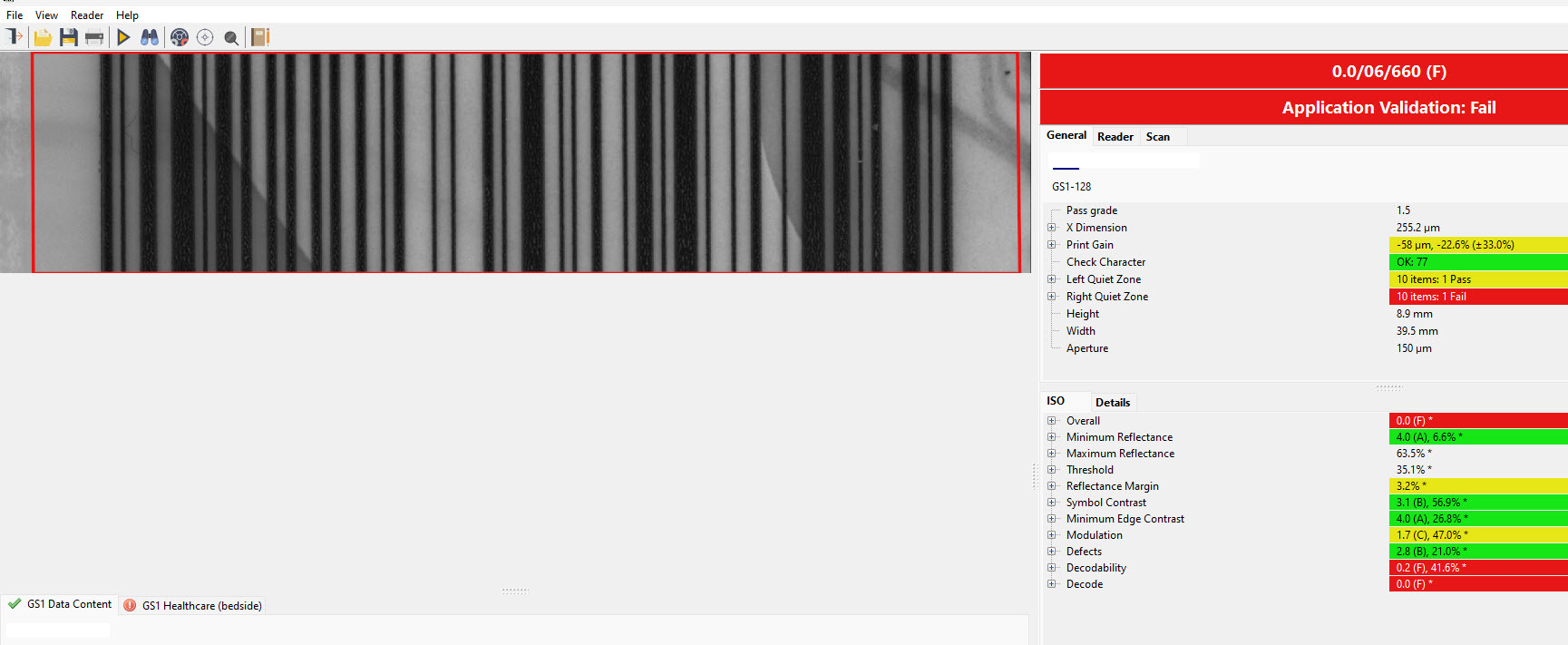
Background show-through violates the quiet zone
Here’s what to look for:
- Quiet zone violation. Linear barcodes (parallel lines and spaces) must have a space before the first bar and after the last bar. The size depends on the type and size of the barcode, but ¼” is a good average unless your barcode is a huge GTIN14 on corrugated. If anything is intruding on the quiet zones, there’s your culprit.
The intrusion could be graphics, a color change, a label or box edge. A violated quiet zone will kill an otherwise perfect barcode. Confirm that a quiet zone violation is the problem by carefully positioning a white card in a suspected quiet zone. If the barcode then scans properly, voila!

2D barcodes like QR Code have a quiet zone on all four sides. Same problem and causes as above.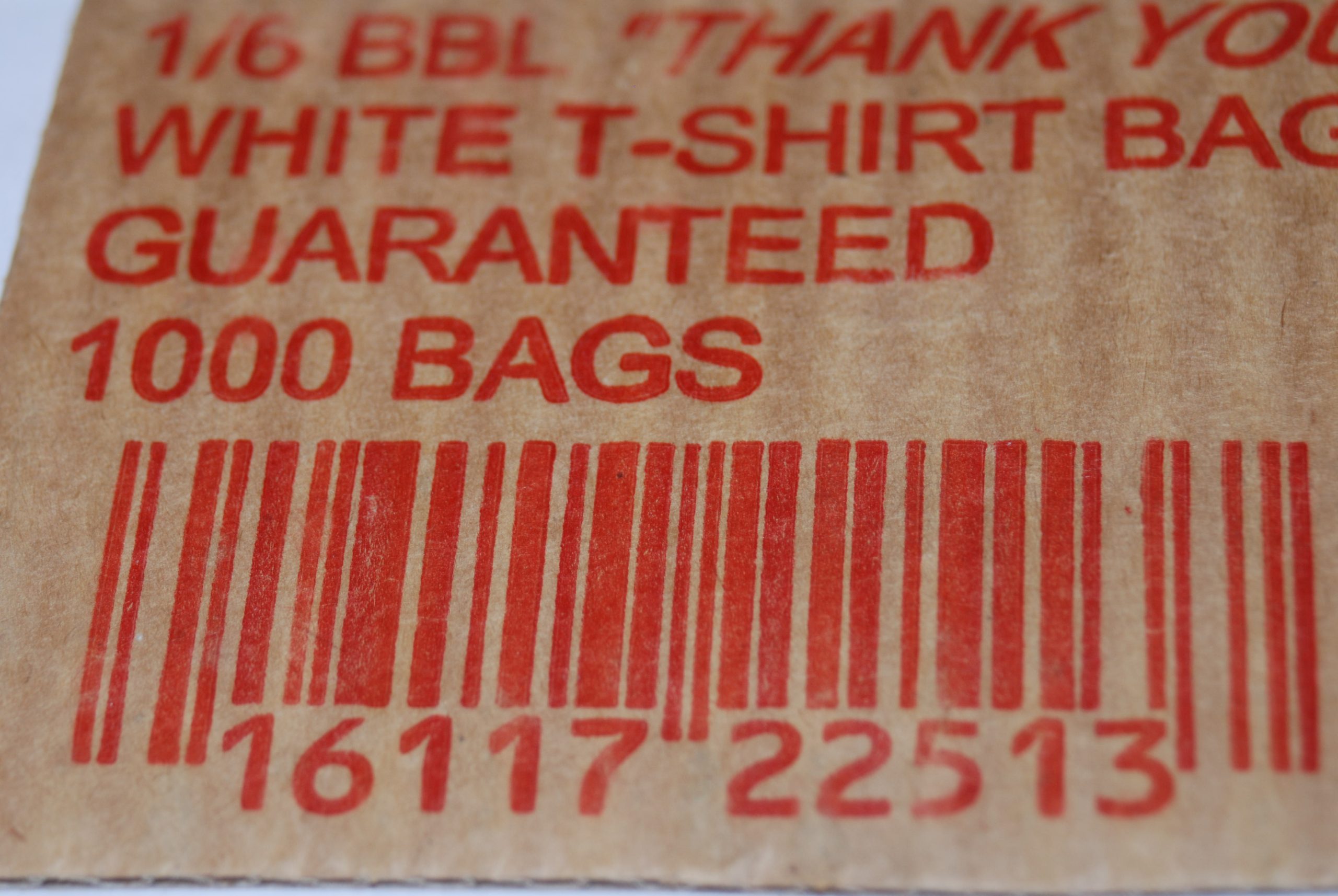
- Color violation. Is the barcode printed in a red or reddish color? The scanner’s red laser-emulating light source will see a red barcode as white. A red barcode on a white background is invisible to the scanner. Likewise a green color looks black to a scanner, so a black barcode on a green background will also be invisible to a scanner.
Barcode Scanning Poorly
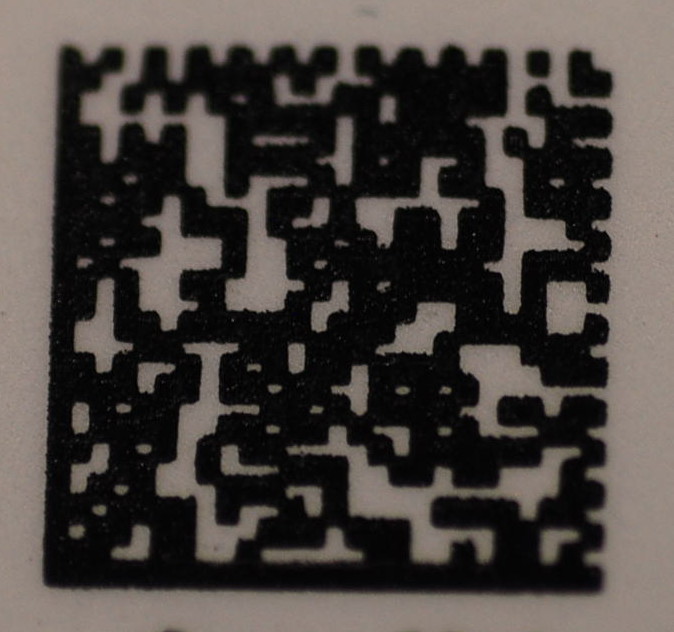
- Excessive Gain. Gain is a common printing problem. Pigment, whether ink, inkjet or thermal transfer tends to spread into the substrate. Knowing this, the print method can be adjusted to control it. Inspect the barcode—linear barcodes will have lines and spaces that are narrow. The width of a narrow space (or dot in a QR Code) should be equal to the width of a narrow bar (or dot). If they are not, there is a gain problem. Adjust the print process to reduce the gain.
There are other problems that could cause a barcode to fail, but these are the most common. We can help you quickly sort it out, in 2 quick and easy steps:
- Send us a screenshot or PDF of the barcode. We might not be able to scan it with a verifier, but we can add our professional opinion and tell you what to do first.
- Call us. We can usually get it resolved in 15 minutes or less—for free. If it takes longer, our charges are reasonable. Either way, the stress melts away. What’s that worth?
 Questions? Contact us here.

